
cpanel <--> outlook calendar sync setup using plugin.
- Download the plugin at the address https://caldavsynchronizer.org/de/download/
- Once the installation is complete, open Outlook.
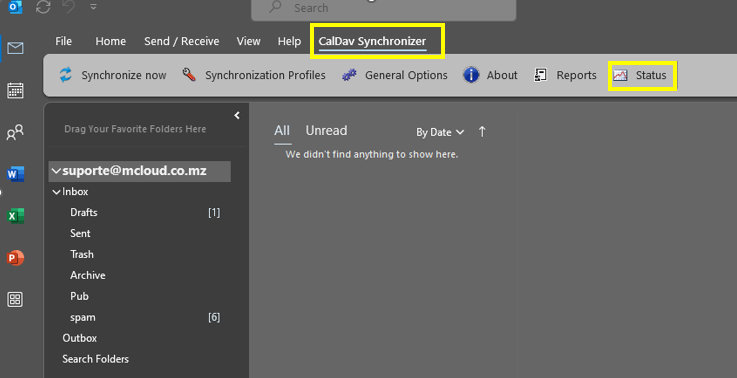
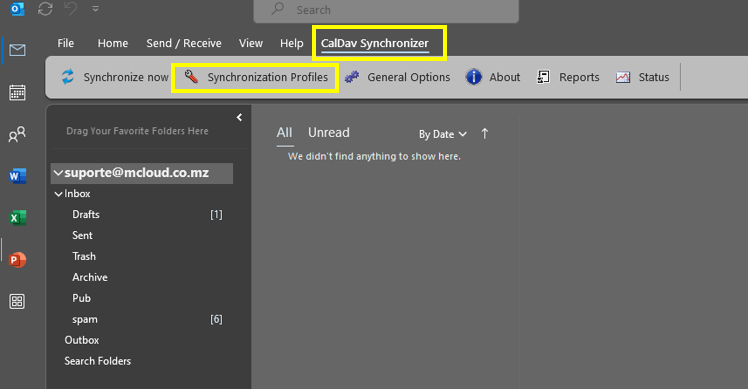
- Click on tab “CalDav synchronizer”
- Click “Synchronazation profile”
- Click + to add profile
- Select “Generic CalDAV/CardDAV”
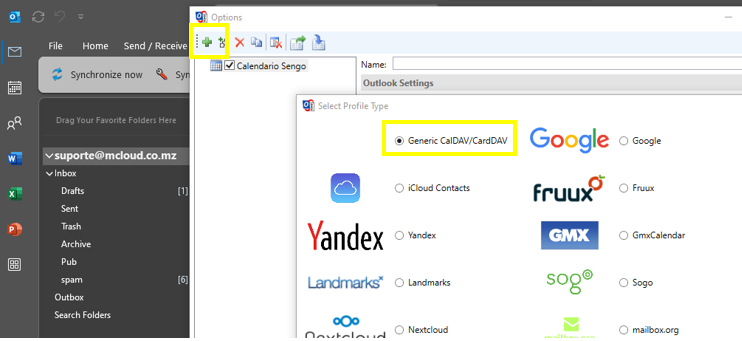
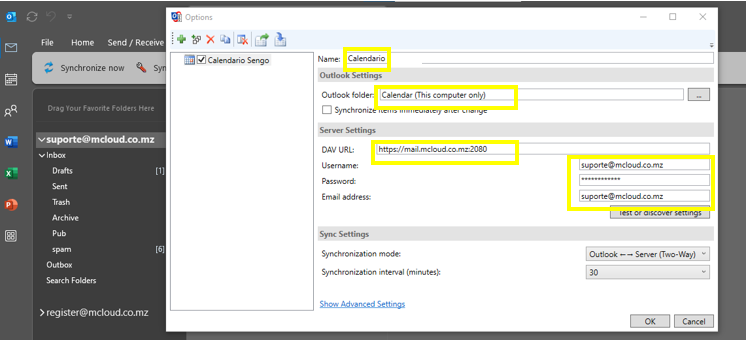
Fill in the fields shown in the figure below with valid data:
calendar name, Outlook folder, calendar server URL, username, password, email address and click OK.
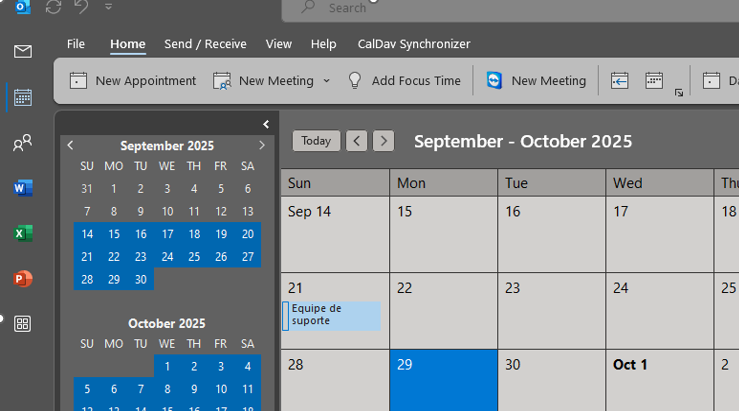
Open the calendar and check the synchronization to confirm it is working.